


After purchasing any themes, you will get a zip file. Please follow the following steps to upload, and install the theme.
- Hover Appearance on the left sidebar. Click on the Themes section.
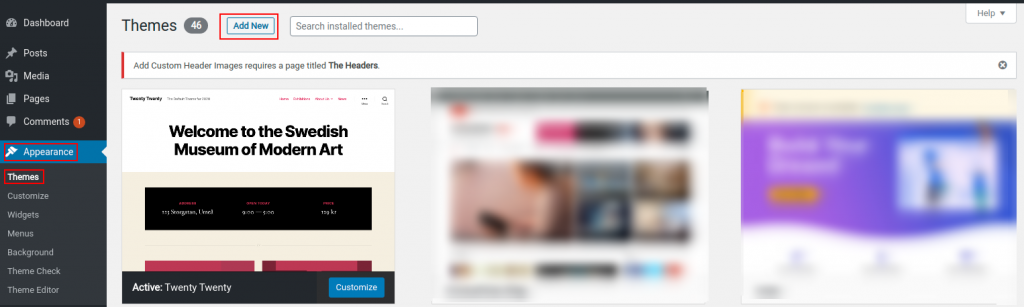
- Now click on the Add New Button just displayed on the right side of the title.
- Click on the Upload Theme button found on the right side of the title.
- Now a section will be displayed where you can upload a zip file. Click on the Choose File button. Select your purchased zip file through the dialogue box and open it.

- Finally, install it by clicking the Install Now button.
To activate the theme
- During the Pro Theme activation, you’ll see the options.
- Welcome to Pro! To get started, please enter your license key.
- Click the Agree and Activate license button.
- Then click on the Activate License button.
Isn’t it easy to install and activate themes in WordPress? Best wishes for your growing business. Stick with us for more basic knowledge-based information and instruction.



Leave a Reply